On this page
At KRIG Audio, we like Universal Audio LUNA best for recording bands and real instruments. Its studio-style workflow, simple mixer, and strong free version make it easy to record guitars, bass, drums, and vocals without needing lots of paid add-ons.
Other DAWs fit other ways of working:
- REAPER: a better choice if you often edit complex drum sessions or set up unusual routing.
- Cubase: works well for MIDI-heavy arrangements.
- Ableton Live and Bitwig: feel more natural if you start songs with loops, drones or processed guitar layers.
Since we build audio tools, we care most about what happens to your recording. Can you get a good take, organize your session, route instruments properly, and open it again without issues? This is important for various genres alike.
Best DAWs at a Glance
| DAW | Free or paid | Best use | Main limitation |
|---|---|---|---|
| LUNA Free | Free | KRIG's favorite free recording workflow | Premium console and tape extensions cost extra |
| GarageBand | Free, Mac | First demos, acoustic songs, learning to record | No freely configurable bus/submix routing |
| Cakewalk Sonar | Free tier, Windows | Full-band sessions without a DAW purchase | Some advanced tools require membership |
| Waveform Free | Free, Mac/Win/Linux | Cross-platform home recording | Unfamiliar layout for traditional mixer users |
| Pro Tools Intro | Free, Mac/Win | Learning the Pro Tools workflow | 8 audio tracks, 4 recording inputs |
| LUNA Studio | Paid, Mac/Win | KRIG's favorite expanded studio setup | Additional cost and UA/iLok account setup |
| REAPER | Paid, Mac/Win/Linux | Detailed editing, routing and value | Takes time to shape into your preferred workflow |
| Logic Pro | Paid, Mac | Recording plus composition and instruments | Mac only |
| Cubase 16 | Paid, Mac/Win | Live drums, tempo work, orchestration | A lot to learn, and features vary by edition |
| Fender Studio Pro | Paid, Mac/Win | Band recording from demo to mix | Licensing and edition changes need checking |
| Pro Tools Studio | Paid, Mac/Win | Studio collaboration and session exchange | AAX plug-in ecosystem and higher cost |
| Ableton Live | Paid, Mac/Win | Post-rock, loops, experimental arrangements | Different workflow for traditional band editing |
| Bitwig Studio | Paid, Mac/Win/Linux | Drone, ambient, sound design, modulation | Modular tools can be overkill for simple tracking |
These are KRIG's favorite DAWs for workflow, not results from a strict test. We put LUNA first because it focuses on recording and offers a lot in the free version. The other DAWs are better for certain tasks.
KRIG tip: A DAW is worth keeping if a session with real guitar takes, multi-miked drums and basic routing is easy to save, reopen and finish. Try those jobs before buying more features.
Why LUNA Is the KRIG Audio Favorite
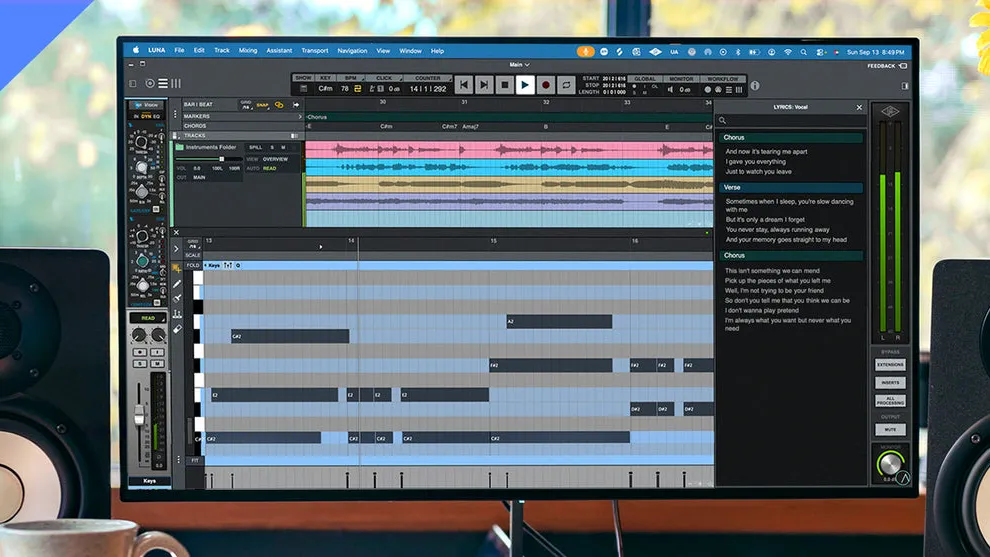
When you record a band, you want to see your tracks, make new takes, adjust the mixer, and keep working on the song. LUNA stands out here because its interface looks like a real studio, and the free version lets your session grow past a small demo. You can start with a guitar DI and a click, then add drums, bass, vocals, and effects in the same project.
As of November 8, 2026, LUNA 3.1.0 is the latest version in Universal Audio's official release notes. Version 3.0 added folder tracks, a piano-roll editor, and better session tools. It's a good idea to check Universal Audio's LUNA release notes before installing, since updates can come without a big version change.
LUNA Free or LUNA Studio?
| What you get | LUNA Free | LUNA Studio |
|---|---|---|
| Unlimited audio and MIDI tracks | Yes | Yes |
| Record, edit, mix and export without a time limit | Yes | Yes |
| Third-party plug-in support | VST3 and AU on Mac | VST3 and AU on Mac |
| Oxide Tape extension | Included | Included |
| UAD plug-ins and instruments | Eight UAD plug-ins, plus included tools | Larger collection, with 30 UAD plug-ins and instruments |
| API console and Studer/Ampex tape extensions | Not included | Included |
| Hardware inserts and selected advanced ARA tools | Not included | Included |
| Buy the software outright | Free edition | Standalone purchase offered |
The free version is a full DAW, and that's what we'd suggest for a new band. LUNA Studio is better if you often use its console, tape extensions, or extra tools. These extras won't make your mix better by themselves. You still need to choose the right processing, set up buses, and arrange your tracks.
LUNA needs UA Connect and iLok licensing. If you share sessions between Mac and Windows, use VST3 plug-ins on both instead of Mac-only AU plug-ins. If you rely on custom editing or complex routing, REAPER might be more flexible. You can compare LUNA editions in Universal Audio's official feature list.
Best Free DAWs for Recording Bands and Instruments
LUNA Free for Guitar, Bass and Full-Band Recording
LUNA Free is our top pick if you're setting up a home studio for real performances. Unlike other free DAWs that limit audio tracks, LUNA lets your session grow. The included Oxide Tape extension and UAD effects are useful before you buy anything else. You don't need an Apollo or Volt interface because LUNA also works with compatible third-party interfaces.
We suggest starting with a simple template: group drum tracks, add two rhythm guitars, bass DI, lead, vocals, and a shared reverb. You can add more complex routing later if needed, without upgrading just to fit the basics. LUNA Free works on both Mac and Windows.
GarageBand for Demos, Songwriting and Your First Recordings
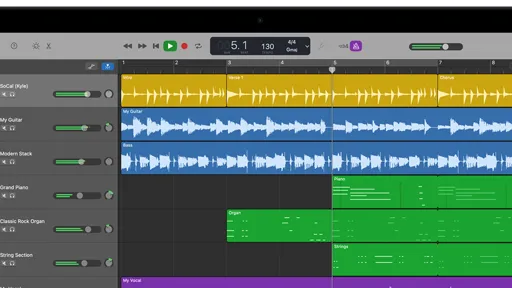
GarageBand is great for learning how to record guitar, build drum parts, or save an idea before you forget it. Apple's amp and pedal sounds, Drummer, and take-recording tools help you make solid demos. The interface is simple, so beginners don't have to learn studio routing first.
Where GarageBand Falls Short
For us, the main issue is when you need flexible buses and submixes. GarageBand does have shared echo and reverb controls, so it's not true that it has no sends. Still, it doesn't offer the open-ended bus, aux, and group processing you get in LUNA, REAPER, or Logic.
Setting up a drum bus, parallel compression, or separate guitar groups is harder than it should be. GarageBand is a great first DAW, but once you need these features often, it's time to move to a fuller mixer. Logic can open GarageBand projects. Apple's GarageBand information explains its recording tools.
KRIG tip: GarageBand is excellent for building demos, but if you're constantly working around its limited buses and submixes, move to a full mixer before starting a complicated multitrack album.
Cakewalk Sonar Free for Windows-Based Bands
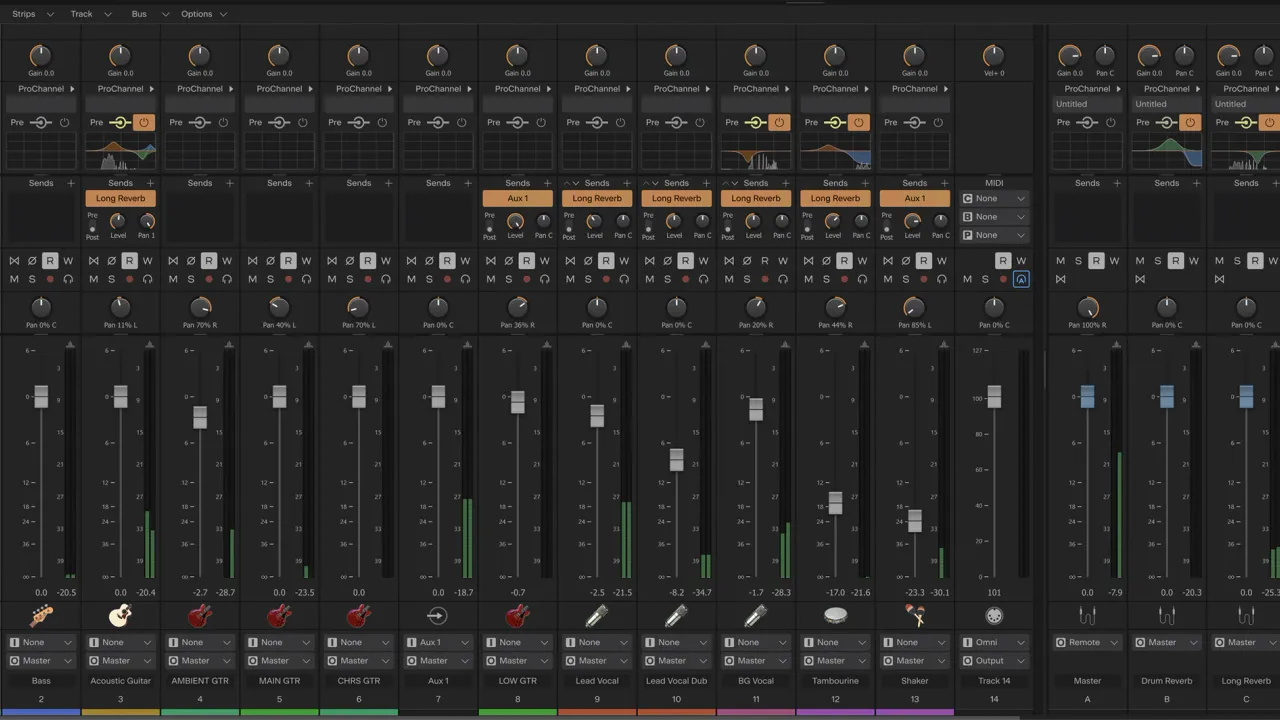
Windows users should try Cakewalk Sonar Free, especially if they want classic multitrack editing and mixing without paying right away. The free version covers recording, editing, exporting, take lanes, and lots of tracks. BandLab Membership adds some advanced features and plug-ins. The older Cakewalk by BandLab application reached end of life, and Sonar is its supported replacement. The official Sonar Free versus Membership comparison spells out what remains free.
Waveform Free for Cross-Platform Home Studios
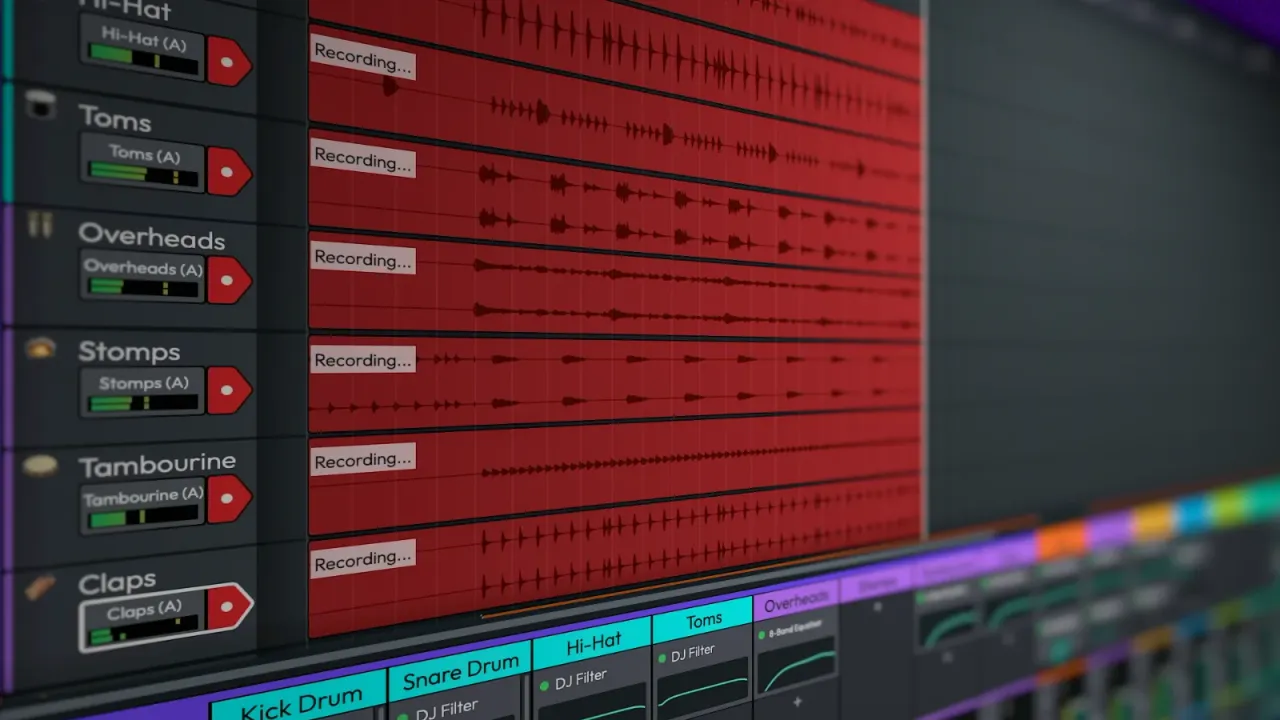
Waveform Free is a good choice if you record on Linux or switch between different operating systems. It works with audio, MIDI, and third-party effects without limiting your tracks. The editing layout may feel different if you're used to a standard studio mixer. For songwriters with guitar tracks, field recordings, and a few software instruments, this flexibility is more helpful than lots of preset sounds.
Pro Tools Intro for Learning Pro Tools
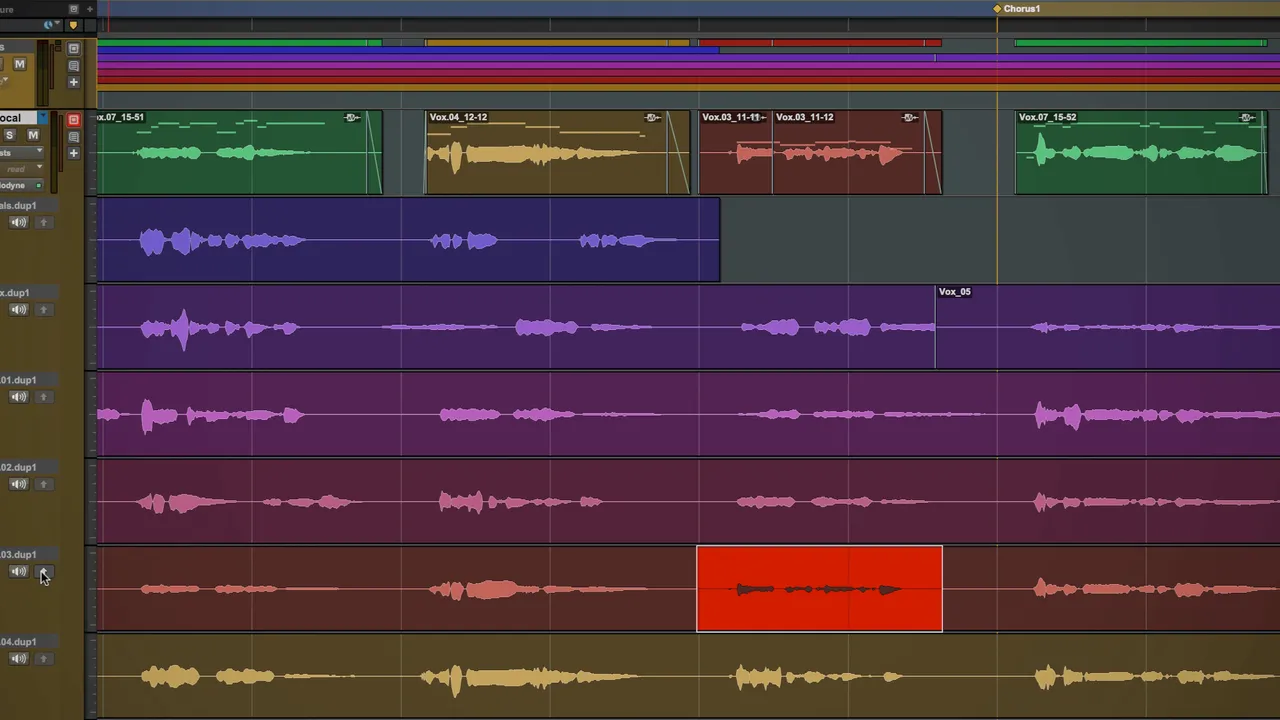
If you plan to work in a studio that uses Pro Tools, the free Intro edition lets you learn the basics. But with only eight audio tracks and four recording inputs, it's not good for recording a full drum kit. We see Intro as a learning tool or for small overdubs, not for full band sessions.
Best Paid DAWs for Rock, Metal and More
LUNA Studio for a More Integrated Recording Console
LUNA Studio builds on the free version's recording setup by adding the API console, summing tools, Studer and Ampex tape extensions, more plug-ins, and extra editing features. If you like mixing with a console-style setup, these tools are easy to access and make the package appealing.
As of November 8, 2026, Universal Audio sells LUNA Studio for $199 as a one-time purchase, or you can subscribe through UAD Spark Studio. We suggest the standalone option if you want to buy your software outright. Try LUNA Free first, since you can finish a full project there without track or export limits.
REAPER for Custom Workflows and Excellent Value
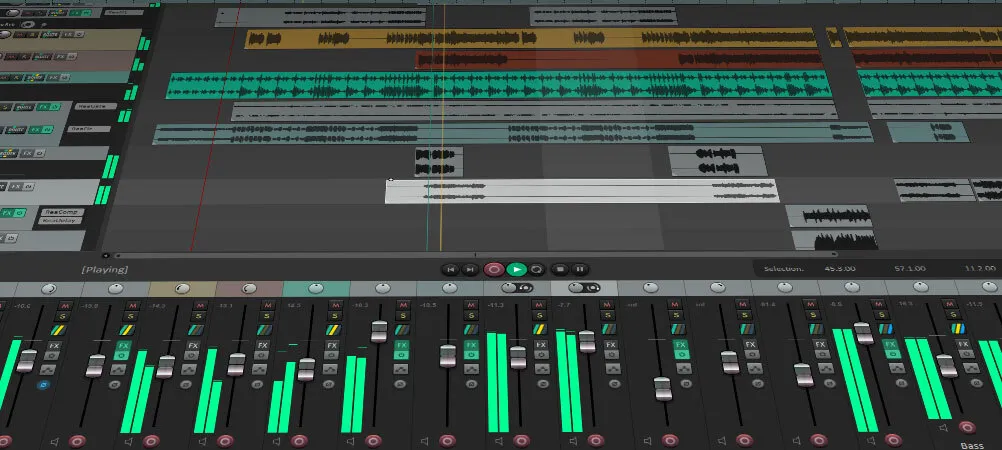
REAPER is a top choice for editing live drums, setting up complex routing, or building sessions your way. It runs on Mac, Windows, and Linux. Its flexible track system can handle guitar DI, drum buses, or parallel bass chains without forcing you into a set template.
At the time of writing, REAPER costs $60 for qualifying users and $225 for a commercial license, with a full 60-day trial. The downside is that some features need setup before they feel easy to use. We'd rather spend time recording than setting up scripts. Check REAPER licensing for details.
Logic Pro for Mac Songwriters and Layered Arrangements
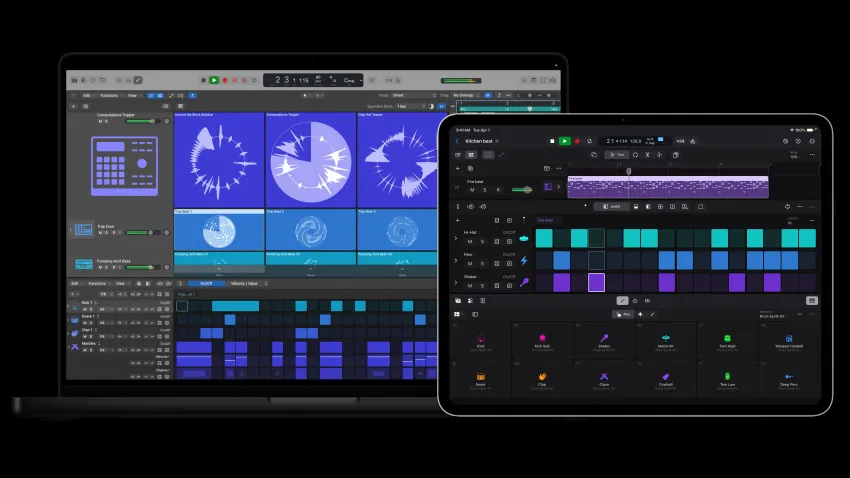
If your songs switch between acoustic guitars, full-band sections, strings, and keyboards, Logic Pro helps you manage these changes in one project. Its comping tools, instruments, and MIDI editing give songwriters lots of options without needing a separate sound-design app. Mac users can also open GarageBand projects in Logic when they're ready for more features.
Apple lists Logic Pro for Mac as a $199.99 US standalone purchase at the time of writing, as well as part of Apple Creator Studio. The Mac-only limitation is worth considering before you start exchanging projects with Windows-based bandmates.
Cubase 16 for Drums, Tempo Changes and Orchestration
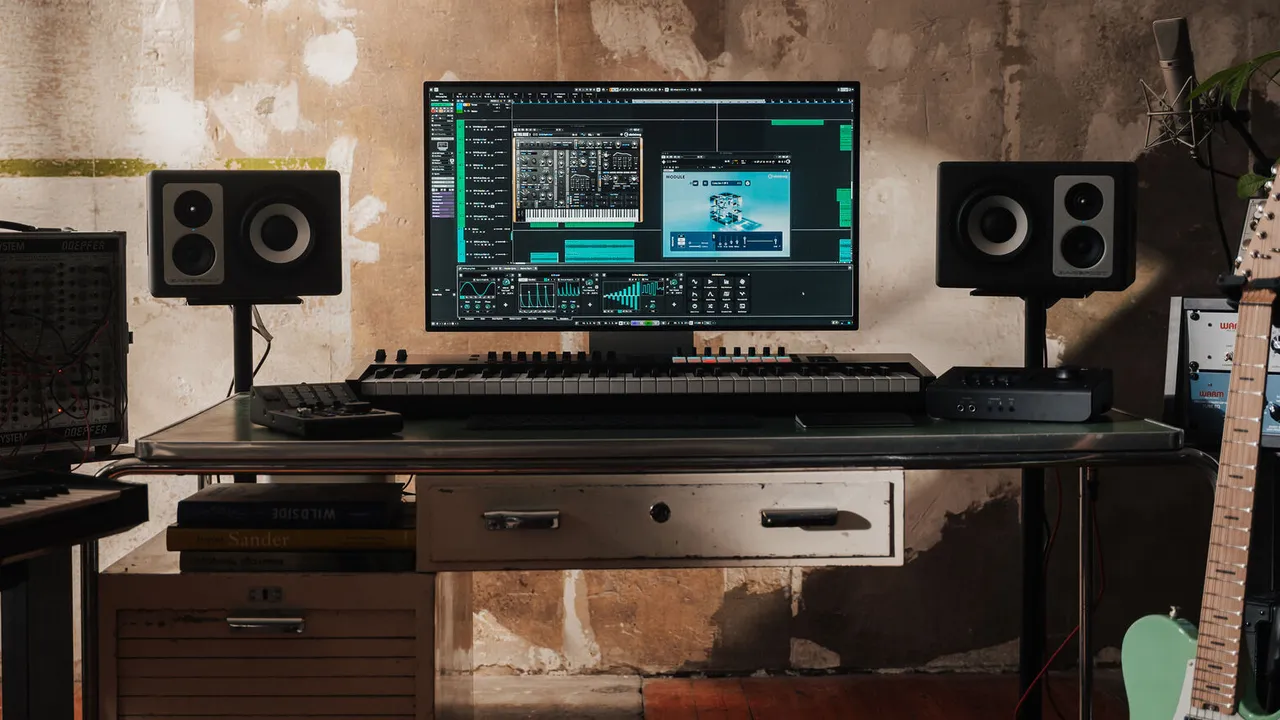
Cubase is a good pick for recording drums, making precise tempo maps, and handling lots of MIDI parts. Its deep editing tools help with progressive rock, technical metal, symphonic music, and film scores, but you might not need all that for a simple blues recording.
Steinberg released Cubase 16.0.0 on November 4, 2026, just before this article. They improved tempo detection and MIDI editing, but the official Cubase 16 release notes focus on Pro features. Check the Artist or Elements feature list before buying a less expensive version.
Fender Studio Pro for Band Sessions From Start to Finish
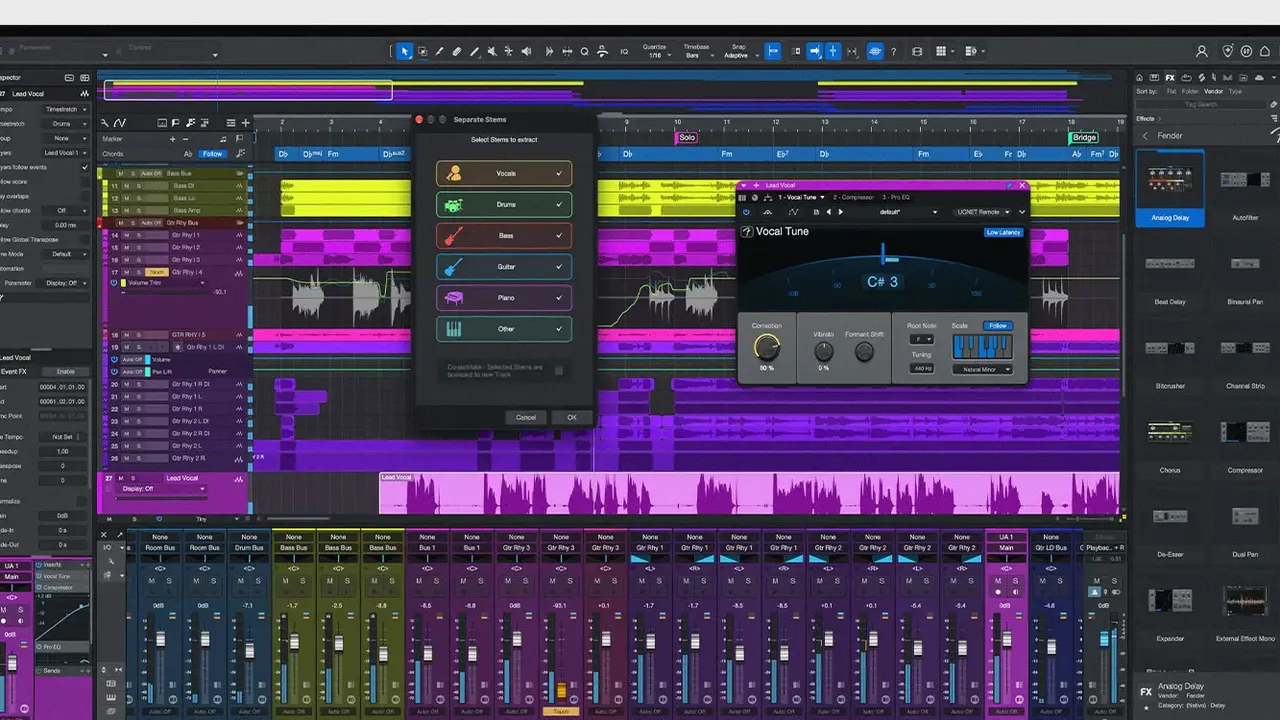
Fender Studio Pro, formerly Studio One Pro, is a good choice for bands who want tracking, comping, editing, and mixing in a familiar timeline. The 8.2 update on October 20, 2026, added trim automation and multiple marker tracks, which help when a song has several versions or mixes. If you have an old Studio One license, check Fender's upgrade terms first.
Pro Tools Studio for Sessions Shared With Other Engineers
Pro Tools Studio is worth the higher price if a tracking room, editor, and mixer all need to share the same session. This makes it a practical choice over cheaper DAWs, especially for big drum recordings and post-production work.
For a home guitarist working alone, we wouldn't usually recommend Pro Tools right away. It uses AAX plug-ins, and you have to consider license and update costs. If you just need consolidated WAV tracks, LUNA or REAPER can do the job well.
Ableton Live for Post-Rock, Ambient and Loop-Based Writing
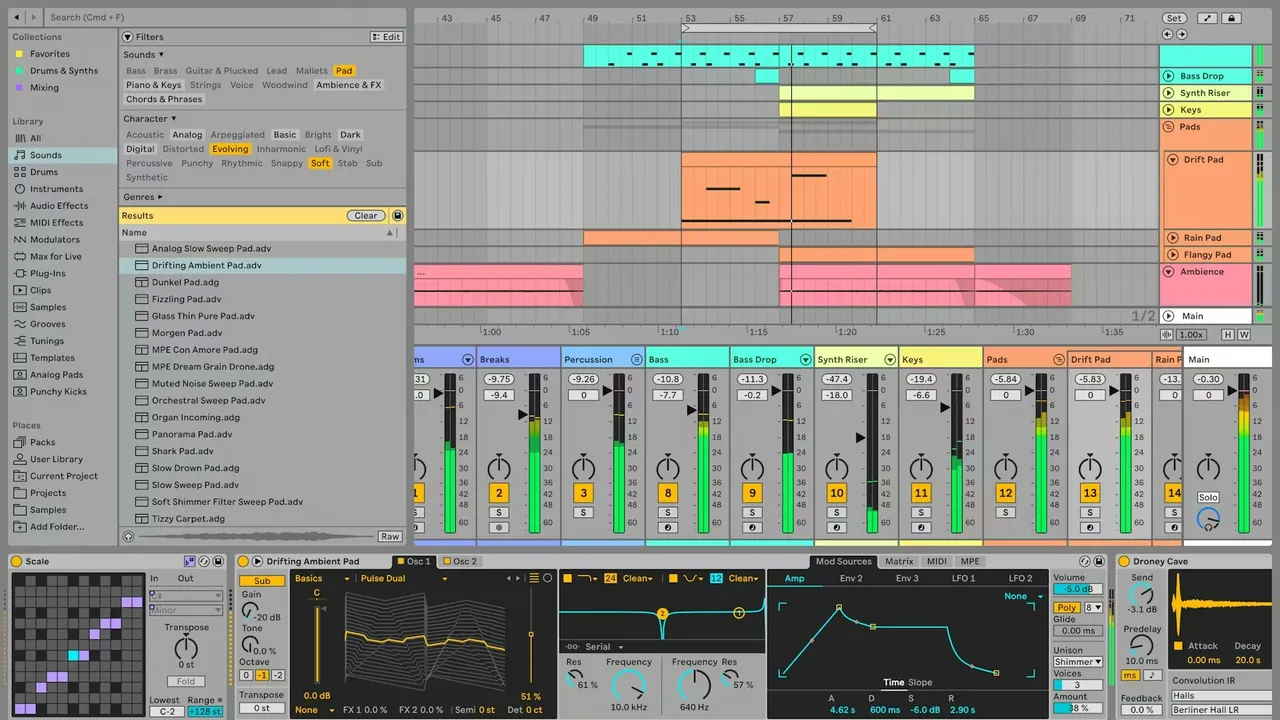
Ableton Live works well if your arrangement starts with repeated guitar parts, feedback, long reverb, or an improvised loop. Session View lets you test different layer combinations before you settle on a song structure, and Arrangement View is for the final version.
At the time of writing, November 8, 2026, the latest version listed in Ableton's Live 12 release notes is 12.4.16, released on October 30, 2026. Live can handle regular band recordings, but it's a good idea to try a full multi-mic drum edit before picking it for that purpose.
Bitwig Studio for Drone, Ambient and Experimental Guitar Processing
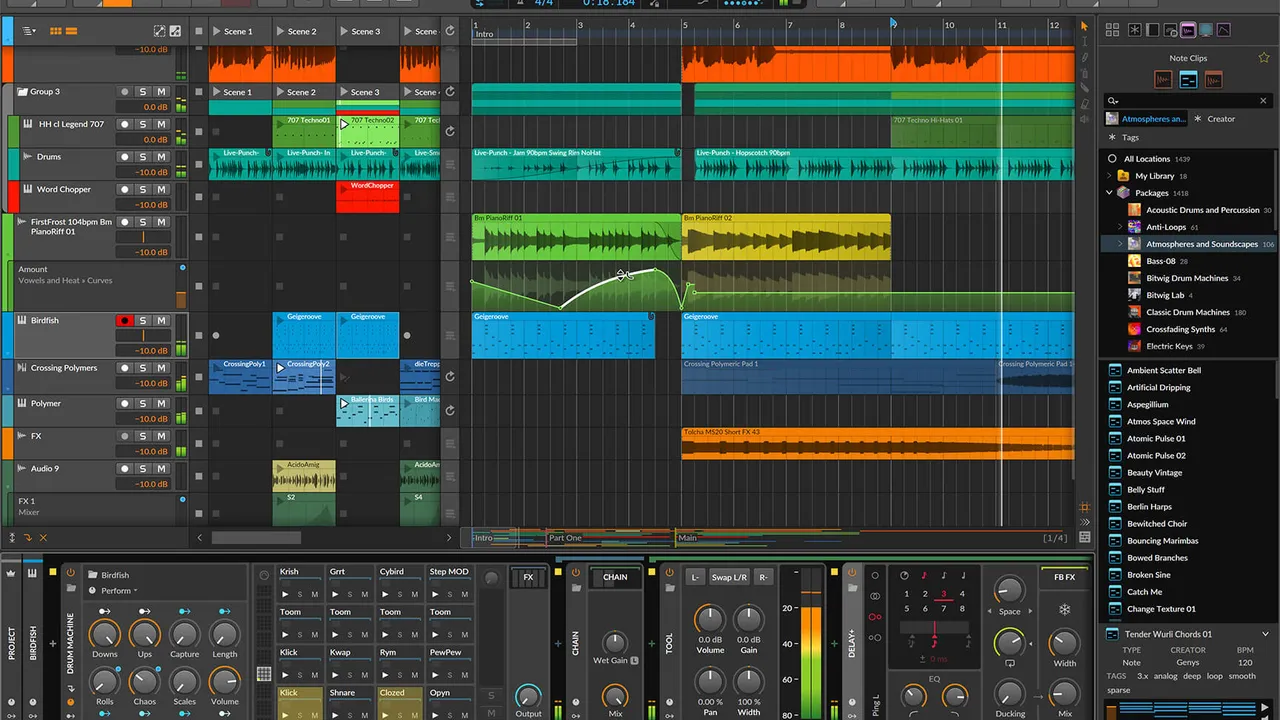
If your music relies on modulation and changing effects, Bitwig lets you shape and develop sounds over time. You can turn a single guitar note into a layered texture using its sampler, modulation, and Grid tools. This is great for drone, dark ambient, post-rock, and experimental soundtracks.
At the time of writing, November 8, 2026, Bitwig's release archive lists Studio 6.1.4 as its latest 6.1 maintenance release, dated October 13. It is powerful software, but we'd spend the money elsewhere if all we needed was straightforward band tracking.
Which DAW Fits the Session You're Recording?
| Your project | Start with | Consider instead when… |
|---|---|---|
| Guitar demos, home songwriting | GarageBand on Mac or LUNA Free on Mac/Windows | You need custom buses or detailed drum editing |
| Rock, punk, hardcore, blues band | LUNA Free | REAPER if editing/routing becomes very custom |
| Full acoustic drum kit and many overdubs | LUNA or REAPER | Cubase for complex tempo/MIDI work or Pro Tools for studio handoff |
| Folk, jazz, acoustic and singer-songwriter | LUNA Free | Logic on Mac for extensive instruments/arrangement |
| Progressive metal and orchestral rock | Cubase or Logic | REAPER for a custom editing workflow |
| Post-rock and ambient | LUNA for recording or Live for loop-led writing | Bitwig for heavier modulation |
| Drone, ambient, experimental scores | Bitwig or Ableton Live | LUNA if the work centers on recorded performances |
| Studio work with outside engineers | Pro Tools Studio | Any DAW when consolidated audio is enough |
Don't pick software just because another band in your genre uses it. For example, a punk band recording everything live might need better multichannel editing than an atmospheric project with lots of overdubs, even if the second session has more tracks.
What Matters When Your Demo Becomes an Album?
Drum Editing and Phase Relationships
When recording acoustic drums, the snare hits the close mic, overheads, and room mics at different times. Grouped edits keep these timing relationships together when you move a hit, so it's worth testing this workflow before choosing a DAW for drum tracking. Editing just one kick sample won't show you how the DAW handles the whole kit.
Buses, Sends and Parallel Processing
When several guitars feed a common bus or a drum kit has a parallel compression path, you need to see where the audio is going. That's why GarageBand's restricted routing becomes a problem for us and why LUNA, REAPER and the other full DAWs are better long-term options. If you're unfamiliar with the difference between grouping and parallel sends, Audient's explanation of buses and auxiliaries is a useful reference.
Plug-In Formats and Moving Between Computers
At KRIG Audio, plug-in compatibility is an important factor when choosing software. Logic and GarageBand use AU on Mac, Pro Tools uses AAX, and LUNA supports both VST3 and AU on Mac. If you're moving projects between Windows and Mac in LUNA, using VST3 on both systems helps you avoid missing Mac-only AU plug-ins. Always check your plug-ins before buying a new DAW, and make sure automation and saved states reopen as expected.
Recording tip: When comparing DAWs, use the same interface, plug-ins and audio files. A prettier mixer won't tell you whether drum editing or project recall will fit your workflow.
Try the Same Recording in Two DAWs Before You Buy
Instead of spending more time comparing feature lists, take a real part of one of your songs and try doing the same five tasks in both DAWs. This hands-on approach helps you decide, even if you never use half the features they advertise.
- Record two guitar or vocal takes and comp the phrase you want to keep.
- Import a drum multitrack, group its microphones and make one edit with crossfades.
- Set up the mix routing with a drum bus, guitar bus, shared reverb and one parallel effect.
- Automate a transition, then export the stereo mix and separate instrument stems.
- Close and reopen the project to check that every track, plug-in, send and automation move is still there.
If LUNA helps you get through that session easily, you'll see why we like it so much. But if REAPER or Cubase works better for your music with less hassle, that's a stronger reason to choose it than any list of recommendations.
Image credits
- LUNA screenshot: Universal Audio, All rights reserved, uaudio.com. Resized by KRIG Audio.
- GarageBand screenshot: Apple, All rights reserved, apple.com. Resized by KRIG Audio.
- Cakewalk Sonar screenshot: Cakewalk by BandLab, All rights reserved, cakewalk.com. Resized by KRIG Audio.
- Tracktion Waveform screenshot: Tracktion, All rights reserved, tracktion.com. Resized by KRIG Audio.
- Pro Tools screenshot: Avid, All rights reserved, avid.com. Resized by KRIG Audio.
- REAPER screenshot: Cockos, All rights reserved, reaper.fm. Resized by KRIG Audio.
- Logic Pro screenshot: Apple, All rights reserved, apple.com. Resized by KRIG Audio.
- Cubase screenshot: Steinberg, All rights reserved, steinberg.net. Resized by KRIG Audio.
- Fender Studio Pro screenshot: Fender, All rights reserved, fender.com. Resized by KRIG Audio.
- Ableton Live screenshot: Ableton, All rights reserved, ableton.com. Resized by KRIG Audio.
- Bitwig Studio screenshot: Bitwig, All rights reserved, bitwig.com. Resized by KRIG Audio.
Questions on this topic
Yes. LUNA Free has no fixed track limit, export watermark or time restriction, and it runs on Mac and Windows without a Universal Audio interface. You'll still need UA Connect and iLok licensing, while the premium console and tape extensions belong to LUNA Studio. For a band recording guitars, bass, drums and vocals, we'd start with Free and only consider upgrading when the extra tools have a clear job.
No. Universal Audio says LUNA runs with compatible third-party audio interfaces on Mac and Windows. An Apollo interface adds its own integrated monitoring possibilities, but you don't need to buy one to use the DAW. If you're tracking through amp simulators, test your actual interface, driver and buffer settings before assuming the monitoring will feel the same on every setup.
GarageBand can record real instruments and finished songs, and it's a very good way to learn or make demos on a Mac. The limitation for us is its lack of freely configurable buses and the advanced routing you'd normally use for grouped drums, parallel compression and separate instrument submixes. It does have built-in shared echo and reverb controls, so the distinction is flexibility, not a total absence of effects sends.
LUNA Free is KRIG Audio's first recommendation for a traditional recording workflow, while Cakewalk Sonar Free is a strong alternative if you prefer its editing and mixing tools. Both can go beyond a small demo without the tight audio-track cap found in Pro Tools Intro. Record the same short guitar-and-drum session in both and choose the one whose routing and editing make sense to you.
Changing the DAW won't automatically give a dry guitar DI a better tone. The amp and cabinet simulation, performance, gain staging, effects and how you mix the instrument have a bigger role. Different DAWs may include different processors or use different default settings, which can affect the result, so compare the same signal path at matched levels before crediting the recording software itself.